Features Overlays Privacy Download
Dorso app icon

Gentle posture reminders
for your Mac

Dorso sits in your menu bar and watches your posture using your webcam or AirPods. When you slouch, a subtle on-screen overlay nudges you to sit up straight - no wearables or special hardware needed.

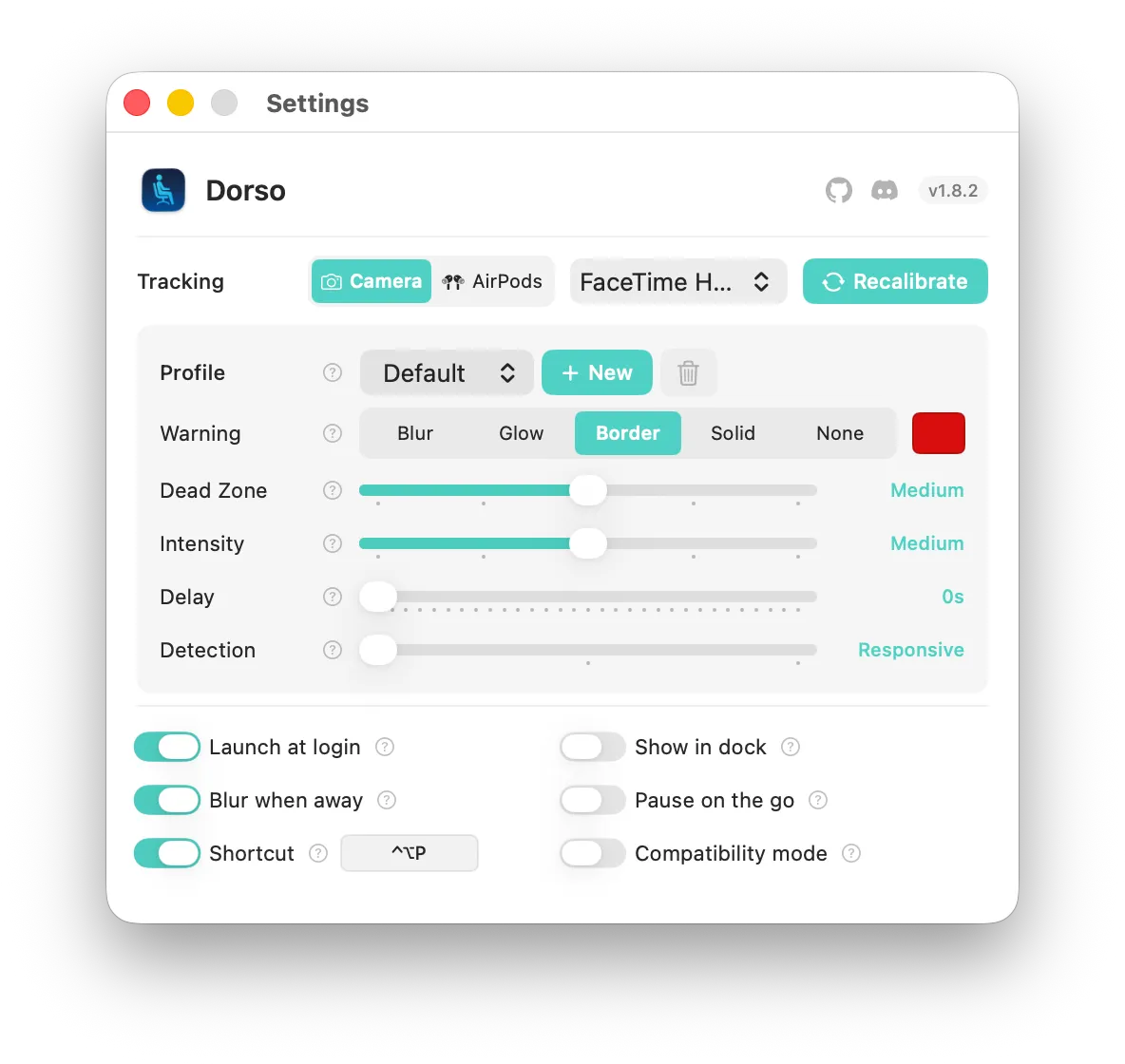
Dorso settings window showing overlay effects

How it works

1

Calibrate

Sit up straight and click calibrate. Dorso learns your ideal posture in seconds.

2

Slouch detected

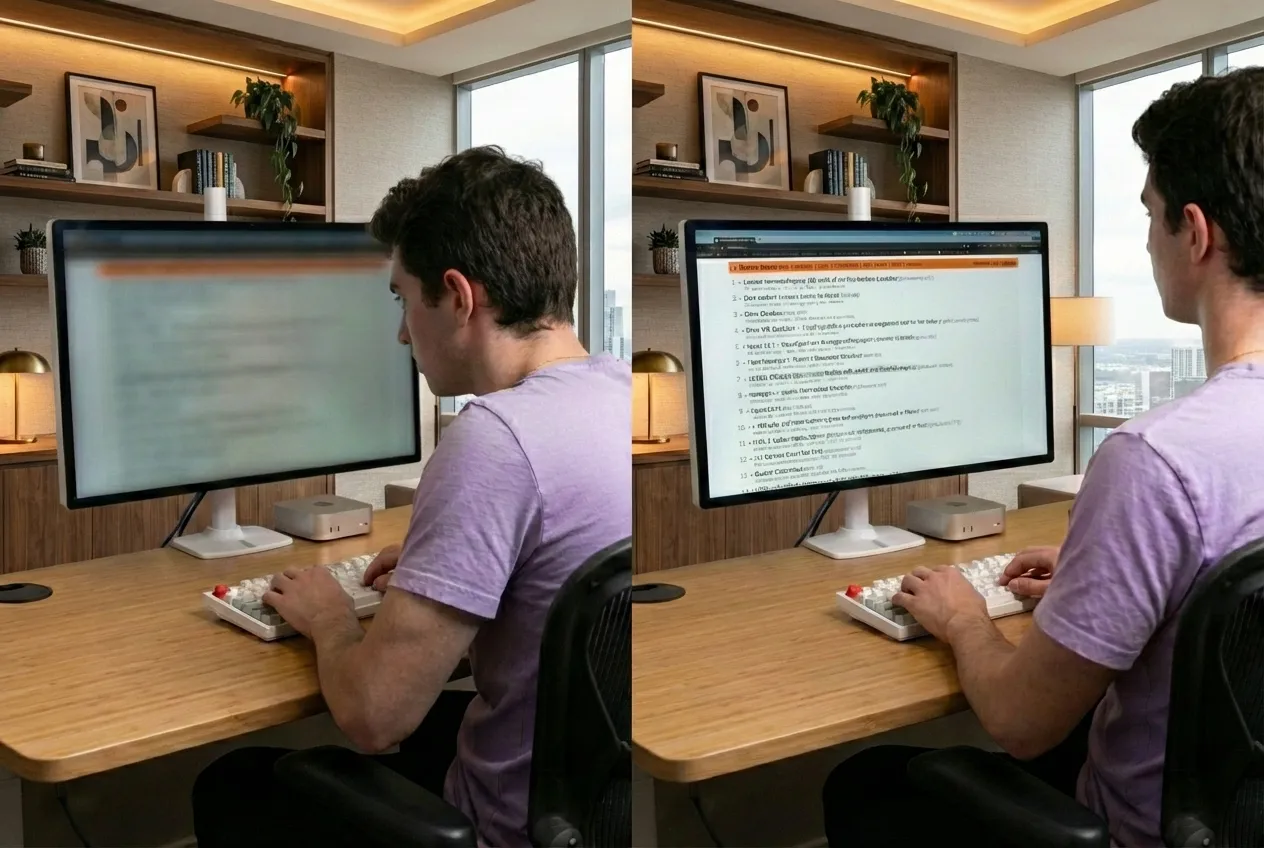
When your posture drifts, a subtle overlay appears on your screen as a gentle reminder.

3

Sit up straight

Correct your posture and the overlay fades away. Simple as that.

Before and after - slouching vs good posture

Two ways to track

Choose the tracking method that works best for you

Webcam

Uses your Mac's built-in camera to detect head position. Works with any Mac - no accessories needed.

AirPods

Uses the head tracking sensors in AirPods Pro or AirPods Max. No camera needed - works even with the lid closed.

Try the overlays

These are the actual effects Dorso applies to your screen. Toggle one and keep scrolling - the effect covers your entire browser window, just like it does on your Mac.

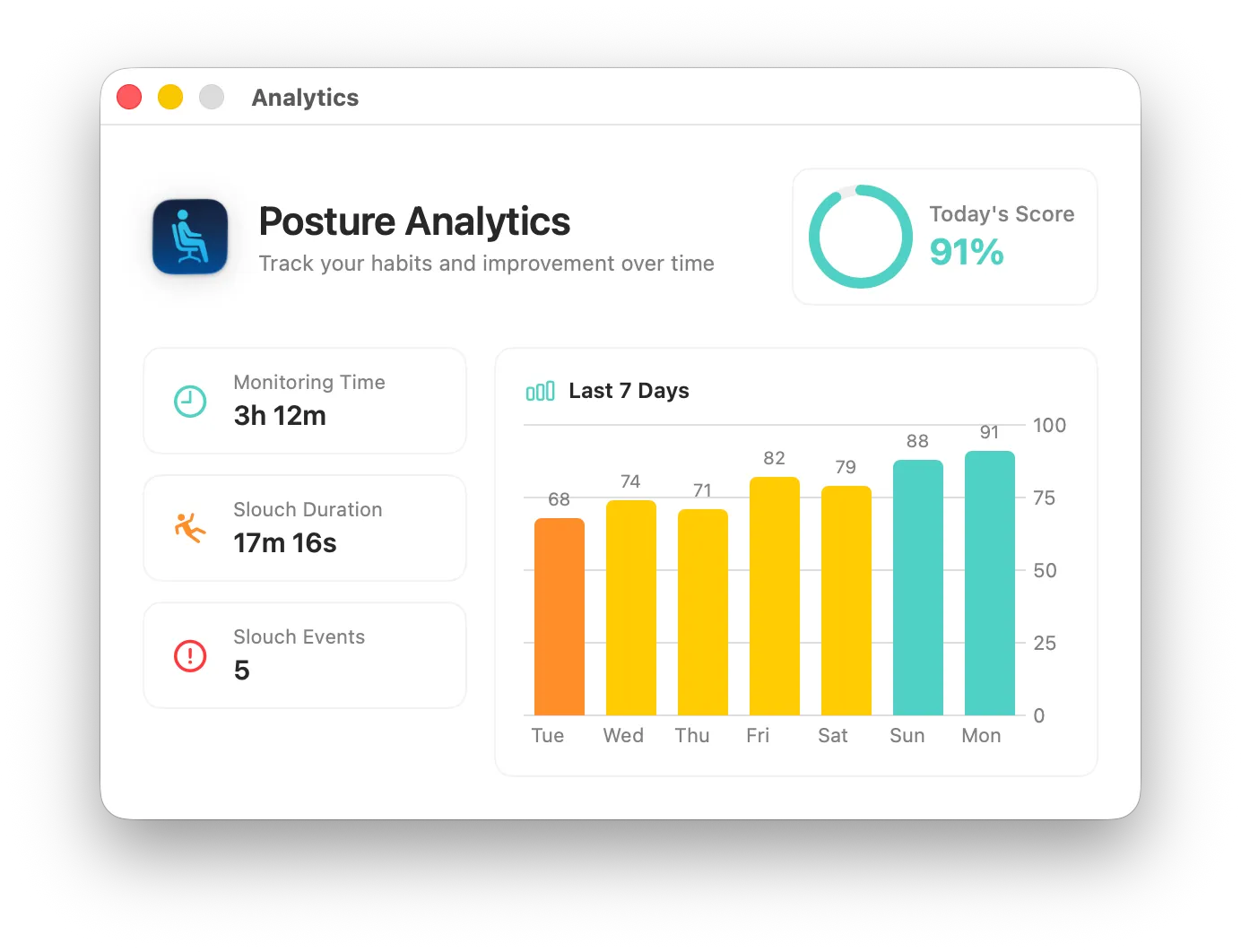
Dorso analytics dashboard showing posture trends

Track your progress

  • Daily posture score See how your posture compares day to day
  • Weekly and monthly trends Track improvement over time with detailed charts
  • Monitoring time See exactly how long you've been tracked each day
  • Slouch statistics Detailed breakdowns of your slouching patterns

Your privacy, respected

Dorso processes everything locally on your Mac. No account required, no cloud services, no data collection. Your posture data never leaves your computer.

No account required No cloud processing No data collection 100% local

Open source

Dorso is fully open source. Contribute, report bugs, or just see how it works.

Gentle posture reminders for your Mac

Open source and private by design.